Saudi
Saudi Dubai
Dubai Kuwait
 Toronto
 London, UK
 India
India
40 Website Features Every Small Business Must Have - Complete Guide
Your small business website is often the first impression potential customers have of your brand — and in today’s digital landscape, first impressions determine conversions.
A modern website must be more than “good-looking.” It must be fast, secure, mobile-friendly, conversion-focused, SEO-ready, and strategically designed for customer trust and sales.
While most articles stop at “top 10” or “best 20” features, this complete guide provides 40 essential website features every small business must include to stay competitive in 2025 and beyond.
40 Essential Website Features for Small Business
Whether you’re building a new site or upgrading an old one, these features will improve:
✔ User Experience (UX)
✔ Search Engine Ranking
✔ Lead Generation
✔ Sales Conversions
✔ Brand Credibility
Let’s get into the industry’s most comprehensive list.
1. Fast Loading Speed (Under 3 Seconds)
Website speed directly impacts conversion rates. A slow site kills customer trust instantly.
Aim for:
- Under 3 seconds load time
- Optimised images
- Minified code
- Lazy loading
- CDN usage
Speed = sales.
Also read: 7 Effective Website Speed Optimization Techniques
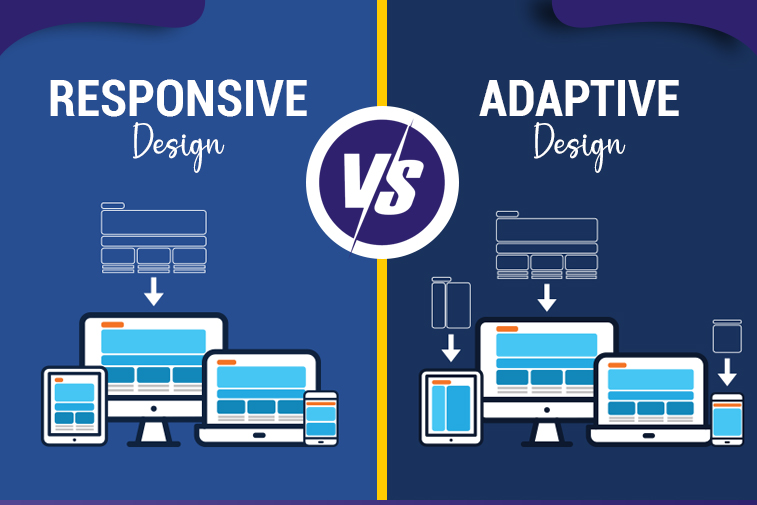
2. Mobile-Responsive Design
Over 70% of small-business website traffic comes from smartphones.
Your site must:
- Auto-adjust to any screen
- Prioritize mobile UX
- Use readable fonts
- Have mobile-optimised menus
Google also ranks mobile-friendly sites higher.
3. Clean, Modern, Professional Homepage
Your homepage must answer 3 things instantly:
Who you are → What you do → Why customers should trust you
A clutter-free, minimal, modern design outperforms outdated layouts every time.
4. Clear & Visible Call-To-Actions (CTAs)
Every page must guide the user forward.
Top-performing CTAs:
- Get a Quote
- Book a Consultation
- Call Now
- Shop Now
- Start Your Project
Use buttons that stand out visually.
5. Strong Brand Identity
Your website should reflect:
- Your brand colours
- Unique style
- Professional look
- Consistent fonts
- Story-driven messaging
Brand trust = customer trust.
6. Secure SSL Certificate (HTTPS)
Non-secure websites lose both rankings and customers.
Browsers even mark them as “unsafe.”
HTTPS is mandatory, not optional.
7. About Us Page with Storytelling
Customers buy from people, not companies.
A great About page includes:
- Your mission
- Your values
- Team photos
- Story
- Why you care
This builds massive trust.
8. Services Page with Clear Breakdown
Each service should have:
- Explanation
- Benefits
- Pricing (optional or starting at)
- Deliverables
- CTA
Don’t overwhelm — simplify.
9. Dedicated Landing Pages for Each Service
Google ranks service-specific pages better.
Examples:
- Web Development Services
- App Development Services
- SEO Services
- Social Media Marketing
Each should target a unique keyword.
10. Testimonials & Client Reviews
Social proof increases conversion by up to 300%.
Add high-quality testimonials with:
- Real names
- Photos (if possible)
- Company names
Trust sells.
11. Portfolio/Case Studies Section
Show your work with:
- Before/after images
- Results
- Client challenges
- How your service helped
Case studies are gold for conversions.
12. Contact Page with Form & Map
Must include:
- Contact form
- Click-to-call
- Click-to-email
- Physical address (if available)
- Operating hours
Make it easy to reach you.
13. Chatbot or Live Chat Support
Real-time communication increases conversions instantly.
AI chatbots can handle:
- FAQs
- Basic support
- Lead capture
- Appointment bookings
14. SEO-Optimized Blog Section
A blog is the #1 ranking tool for small businesses.
Blogs help you:
- Rank for dozens of keywords
- Build authority
- Educate your audience
- Drive organic traffic
Post regularly for best results.
Also read: How to Redesign Your Website Without Losing SEO Traffic
15. Search Engine Optimization (SEO) Structure
Your site must include:
- Optimized meta titles
- Meta descriptions
- Header tags (H1, H2, H3)
- Alt text for images
- Internal linking
- Clean URLs
Without SEO, customers won’t find you.
16. User-Friendly Navigation Menu
Visitors must find everything easily.
Recommended structure:
Home | About | Services | Blog | Contact | Portfolio
Simple navigation = better conversions.
17. High-Quality Visuals & Media
Avoid stock images when possible.
Use:
- Professional photos
- Branded graphics
- Simple animations
Visual appeal builds trust.
18. Strong Value Proposition (Above the Fold)
The first 3 seconds decide whether the visitor stays or leaves.
Your message must be clear and bold.
19. Lead Magnet or Free Resource
Offer something valuable:
- Free ebook
- Checklist
- Free consultation
- Discounts
This grows email lists and leads.
20. Newsletter Signup Section
Email marketing remains one of the highest-ROI strategies.
Your site should include signup boxes:
- Footer
- Exit intent popups
- Sidebar
21. Social Media Integration
Clickable icons for:
- YouTube
- X (Twitter)
Consistency builds credibility.
22. FAQ Page
Reduces customer confusion and boosts SEO.
Covers common questions about services, pricing, timelines.
23. Mobile-Friendly Forms
Forms must be short, clean, and easy to fill out.
Mobile users hate long forms.
24. Online Appointment Booking System
Perfect for service businesses.
Let users:
- Choose a date
- Select a service
- Book instantly
25. Analytics Tools Installed
Integrate:
- Google Analytics
- Google Search Console
- Heatmaps
Data-driven decisions grow businesses.
26. Clear Pricing or “Starting From” Section
Users prefer transparency.
If you can’t give exact prices, show price ranges or minimums.
27. Strong Internal Linking
Link between your service pages, blogs, and portfolio.
This boosts SEO and user experience.
28. Professional Copywriting
Your words must:
- Persuade
- Educate
- Build trust
- Convert users
Copywriting is a core part of website success.
29. Light, Clean Code for Better Performance
Bloated themes slow sites down.
Use optimised frameworks or custom code.
30. Voice Search Optimization
Many users now search using voice assistants.
Include conversational keywords like:
- “best website developer near me”
- “how to build a business website”
31. Clear Brand USP (Unique Selling Proposition)
Why choose YOU over competitors?
Make it bold and noticeable.
32. Security Features (Firewalls, Backups, Anti-Spam)
Small businesses get hacked often.
Strengthen security from day one.
33. Cookie Consent Banner / GDPR Compliance
Mandatory for privacy protection and legal compliance.
34. Refund, Shipping, and T&C Pages (For E-commerce)
Customers want transparency.
These pages reduce fear and increase conversions.
35. Personalized Content (Location-based or Behaviour-based)
Show relevant offers to each visitor.
Helps boost engagement and sales.
36. Social Proof Badges
Examples:
- "Trusted by 500+ clients"
- "Rated 5 stars on Google"
- Security badges
37. Customer Success Stories
Real client results = powerful trust builder.
38. Website Accessibility Features
Make your site usable for everyone.
Includes:
- Alt text
- High contrast
- Keyboard navigation
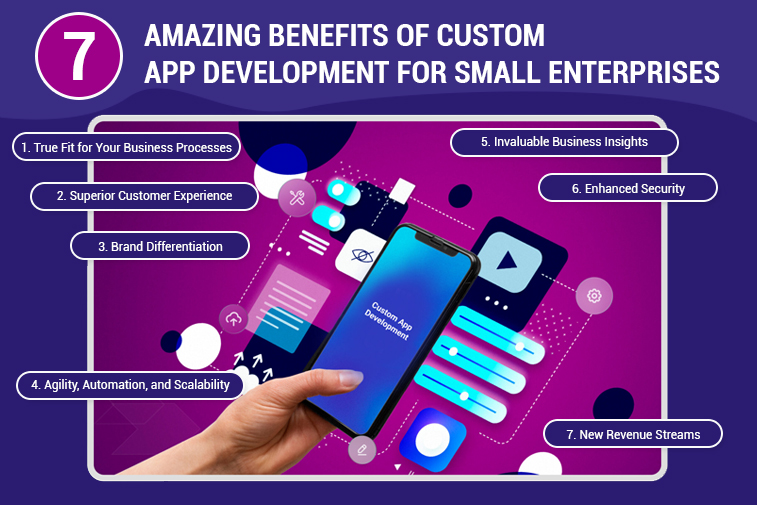
Also read: 7 Amazing Benefits of Custom App Development for Small Enterprises
39. Product or Service Comparison Tables
Helps customers choose easily.
Increases conversions significantly.
40. Chat-Based Contact Options (WhatsApp/FB Messenger)
Many customers prefer messaging over email.
Add quick-contact chat buttons.
Note: Not every feature listed applies to every business. Some elements are essential for all websites, while others are specific to certain industries such as e-commerce, SaaS, or service-based businesses. If you're unsure which features your website truly needs, Sapphire Technologies can guide you. Don’t hesitate - contact us for expert assistance.
FAQs – Website Features for Small Businesses
1. What is the most important website feature for small businesses?
Fast loading speed and mobile responsiveness are the top priorities for all companies.
2. How many pages should a business website have?
A minimum of 5 core pages: Home, About, Services, Blog, Contact.
3. How often should I update my website?
At least once a month — updating blogs, visuals, and content helps SEO.
4. Do small businesses need SEO?
Yes. Without SEO, customers will not find your website on Google.
5. What is the fastest way to improve website conversions?
Add strong CTAs, speed upgrades, testimonials, and simplified navigation.
Final Thoughts
Your website is the digital storefront of your business — and in 2025, customers judge businesses heavily by their online presence.
Implementing these 40 essential website features isn’t optional anymore — it’s the foundation of trust, traffic, and conversions.
At Sapphire Technologies, we build performance-driven websites designed to rank high, convert fast, and grow your business long-term.
Read Also: Top Mistakes to Avoid When Outsourcing Software Projects