Saudi
Saudi Dubai
Dubai Kuwait
 Toronto
 London, UK
 India
India
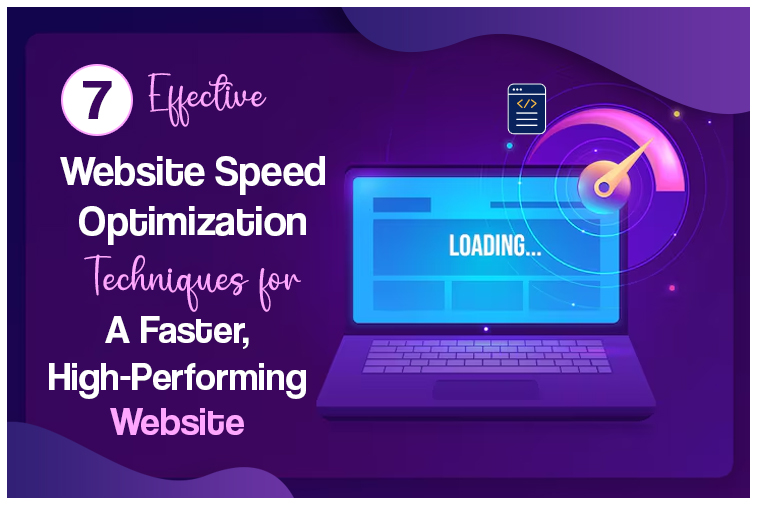
7 Effective Website Speed Optimization Techniques for a Faster, High-Performing Website
In today’s digital world, speed is no longer optional — it’s essential. Whether you run an eCommerce store, a corporate website, or a SaaS platform, your website’s loading time directly impacts user experience, SEO rankings, conversions, and brand trust.
Research shows that 53% of users leave a site if it takes longer than 3 seconds to load. This means even a single second of delay can cost your business real revenue.
At Sapphire Technologies, we help brands stay competitive by implementing powerful website speed optimization techniques that significantly improve performance and overall user satisfaction.
Here are the 7 most effective website speed optimization techniques you should start applying today.
1. Compress and Optimize Images
Images often make up more than 50% of a webpage’s total weight. Unoptimized images slow down loading time, especially on mobile devices.
What to Do
- Use next-gen formats (WebP, AVIF)
- Compress images using tools like TinyPNG or Squoosh
- Resize images based on screen size
- Implement responsive images (srcset)
Result
Lower bandwidth usage and dramatically faster page load speeds.
2. Use a Content Delivery Network (CDN)
A CDN stores your website’s static content on multiple servers around the world. This ensures users always load your content from the nearest server, reducing latency.
Benefits
- Faster page load worldwide
- Reduced server load
- Improved reliability during traffic spikes
Popular CDN services include Cloudflare, AWS CloudFront, and Akamai.
3. Minify CSS, JavaScript, and HTML
Unnecessary code spaces, comments, and line breaks make files larger and slower to load.
How to Improve
- Minify CSS, JS, and HTML files
- Combine scripts when possible
- Defer or async non-critical JavaScript
Impact
This simple step removes redundant data and improves speed noticeably.
4. Enable Browser Caching
Browser caching allows files like images, fonts, CSS, and JS to be saved on a visitor’s device.
When they revisit, their browser loads the cached version instantly — instead of re-downloading everything.
Benefits
- Faster repeat visits
- Less server workload
- Better user experience
5. Implement Lazy Loading for Images & Videos
Lazy loading ensures that images and videos load only when the user scrolls to them, not the moment the page opens.
Why This Works
- Reduces initial load time
- Saves bandwidth
- Improves performance for content-heavy websites
This is especially useful for blogs, product listings, and galleries.
6. Upgrade to a High-Performance Hosting Provider
Your hosting environment significantly affects website performance.
Shared hosting may be cheap — but it often leads to slow loading due to limited resources.
Best Practices
- Choose cloud hosting (AWS, DigitalOcean, Google Cloud)
- Use managed WordPress hosting if applicable
- Enable server-level caching and SSD storage
A strong hosting foundation is the backbone of website speed.
7. Reduce Server Requests & Use Caching Plugins
Every element on your page — images, scripts, stylesheets — sends a server request.
More requests = slower site.
How to Reduce Requests
- Remove unused plugins
- Use lightweight themes
- Combine files
- Use server-side caching
- Install performance plugins (WP Rocket, LiteSpeed Cache)
Outcome
Fewer requests lead to faster rendering and smoother user experience.
Why Website Speed Optimization Matters for Businesses
✔ Better SEO Rankings
Google rewards fast websites with higher search visibility.
✔ Higher Conversion Rates
Fast websites build trust and increase sales/leads.
✔ Lower Bounce Rates
Users stay longer when pages load instantly.
✔ Improved Mobile Experience
Mobile users expect speed more than ever.
✔ Strong Brand Impression
Performance reflects professionalism — slow sites push customers away.
At Sapphire Technologies, we specialise in delivering high-performance, optimized websites that provide fast, smooth, and reliable experiences across all devices. (Get Best SEO Services with Sapphire Technologies)
Final Thoughts
Website speed is no longer just a technical requirement — it’s a competitive advantage.
By applying these 7 effective website speed optimization techniques, your business can achieve:
- Faster loading times
- Better SEO performance
- Higher user satisfaction
- Increased conversions
If your website feels slow or outdated, Sapphire Technologies can help you analyze, optimize, and elevate your digital performance.
FAQs
1. Why is website speed so important?
Speed affects user experience, conversions, and SEO. A faster website keeps visitors engaged and improves business performance.
2. What slows down a website the most?
Large images, unoptimized code, poor hosting, heavy plugins, and excessive scripts are common causes.
3. How can I check my website speed?
You can use tools like Google PageSpeed Insights, GTmetrix, or Pingdom.
4. Does image compression reduce quality?
Modern compression tools reduce file size while keeping quality nearly the same — users rarely notice a difference.
5. Do CDNs really help with speed?
Yes. CDNs reduce loading time by serving data from the server closest to the user.
6. How long does website speed optimization take?
Basic improvements can be done in hours, while full optimization may take a few days depending on the website’s size.
7. Can Sapphire Technologies optimize my website?
Absolutely. We provide full website performance audits, optimization solutions, hosting improvements, and long-term speed management.